

Instead of rebuilding your short-sale file from email attachments, use Dotloop to organize the documents, download the completed files, and deliver them through the lender’s required submission channel. This Dotloop short sale package submission workflow connects document preparation to lender delivery through a controlled handoff—not an assumed automatic integration.
- Dotloop short sale package submission needs a lender-approved delivery channel; organizing documents does not submit them.
- Shortsalesdoneright is best for agents seeking outsourced short-sale package preparation and lender negotiation.
- Check signatures, document dates, and borrower authorization before sending the package.
- Record submission confirmation and track replacement documents separately from the original package.
Why this matters
A completed transaction file and a submitted lender package are different things. Your documents can be organized in Dotloop while the lender still needs its own forms, borrower authorization, or delivery method.
Treat this as a document-to-submission workflow, not a software connection that guarantees receipt. The practical goal is simple: send the right documents, preserve a record of delivery, and assign responsibility for follow-up.
Shortsalesdoneright provides short-sale processing and lender negotiation services. For agents outsourcing that work, the service includes preparing the full short-sale package, a dedicated point of contact, and weekly lender updates. That support does not guarantee lender approval.
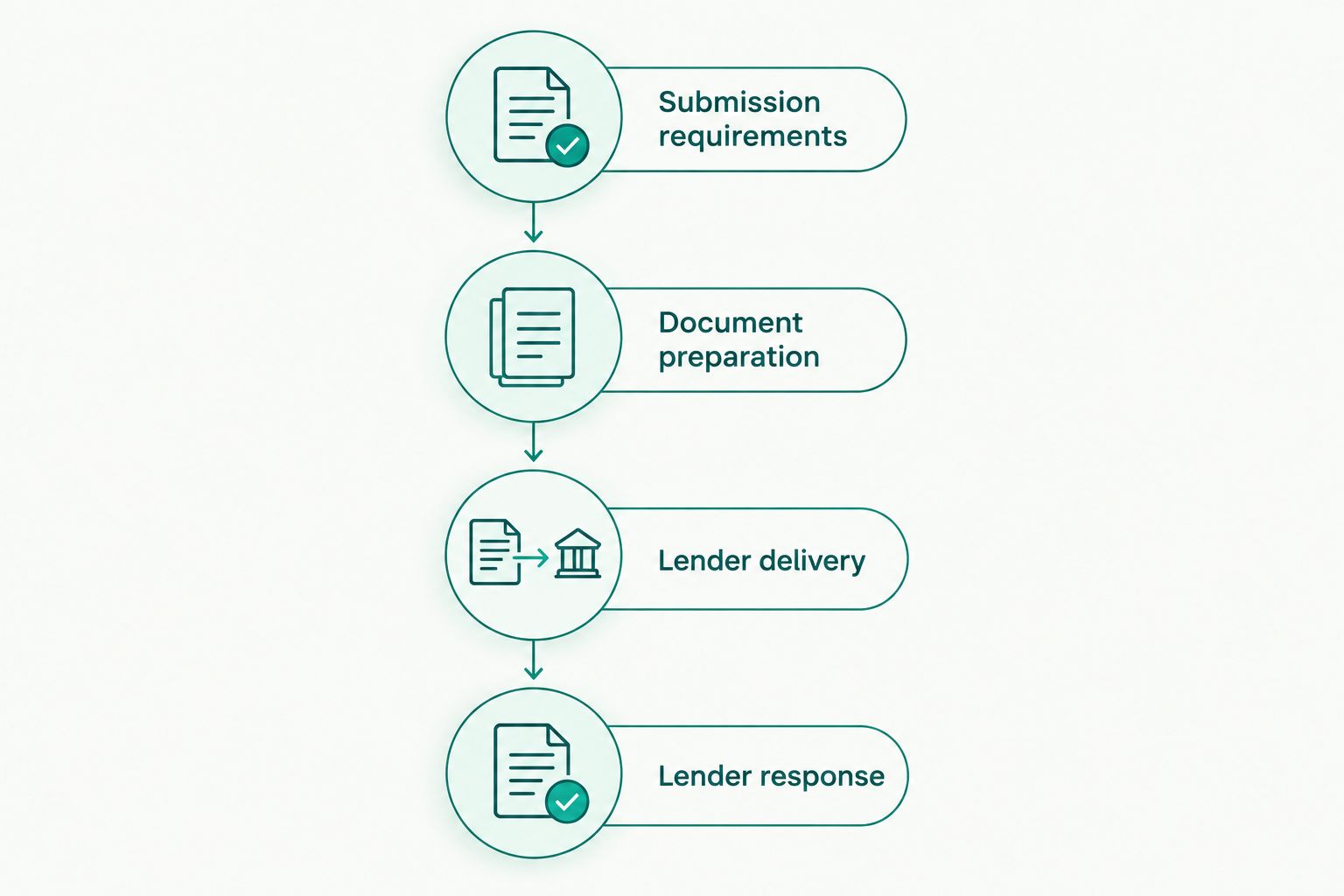
Use the 2026 workflow below to define 4 stages: requirements, document preparation, delivery, and follow-up. Assign 1 submission owner so the agent, homeowner, and processor do not send competing versions.
Before you start
- Accounts and access: Have access to the correct Dotloop transaction and permission to retrieve its documents. Confirm who can use the lender’s required submission channel and who is authorized to discuss the loan.
- Required materials: Obtain the lender’s current short-sale checklist, required forms, borrower authorization requirements, loan identifiers, and instructions for document delivery. Collect borrower documents through an approved secure method.
- The gotcha: Dotloop access is not lender authorization. A shared document or downloaded PDF does not establish that the lender will discuss the account with you, accept that file format, or recognize the package as submitted.
Before collecting sensitive records, agree on where they belong and who needs access. Do not give every transaction participant access to the homeowner’s financial documents simply because those participants share the transaction.
Submission requirements
Establish the lender’s checklist
- Identify the mortgage servicer handling the request. Confirm the submission instructions with the party responsible for reviewing the short sale.
- Request the current document checklist and required borrower forms. Ask which records must be recent and whether the lender requires its own authorization form.
- Confirm the delivery channel. Follow the lender’s instructions rather than choosing a method because it is convenient inside Dotloop.
- Assign the submission owner. Record who prepares the package, who sends it, and who follows up when the lender requests more information.
Expected result: You have a written checklist, an accepted delivery method, and a named person responsible for the handoff.
For your 2026 checklist, distinguish a document requirement from a submission requirement. A hardship letter is a document; instructions about where to send it are a submission requirement. Completing one does not satisfy the other.
Do not assume every lender requests the same package. Typical categories include borrower financial information, an explanation of hardship, transaction documents, and authorization to communicate. The lender’s actual checklist determines what you collect.
Choose the handoff method
These are delivery choices, not competing short-sale services. Use downloaded files when the recipient requires attachments or portal uploads; use a document link only when the recipient expressly accepts it.
| Handoff method | Best for | Benefit | Limitation |
|---|---|---|---|
| Downloaded PDF files | A lender or processor requiring uploaded documents | You can inspect the exact files before delivery | Later changes require a separate update and delivery record |
| Controlled document link | A recipient that expressly accepts linked documents | The recipient can access the shared material without an attachment exchange | Access settings, identity checks, or recipient policy can prevent review |
Do not substitute a sharing notification for submission confirmation. A recipient’s ability to open a file and the lender’s acknowledgment of a package are separate checkpoints.
Dotloop document preparation
Check the transaction file
- Open the correct transaction in Dotloop and review Documents. Match the property and borrower information against your submission checklist.
- Identify the completed version of each required document. Keep drafts clearly separate so you do not accidentally deliver an unsigned agreement or an outdated financial statement.
- Review signature and date fields. Check that the required parties have completed the documents and that the file contains every page.
- Compare the documents against the lender’s checklist. Mark missing items before starting the export.
Expected result: Every document selected for delivery has a clear purpose, an identifiable version, and a completed review.
Avoid treating the transaction folder as the submission package. It can contain useful working material that the lender did not request. Send the required package, not an unfiltered collection of everything associated with the listing.
Download and inspect the files
- Select the documents needed for the submission and use Download. Your available actions depend on your document permissions and the interface you are using.
- Save the files in the approved working location. Use descriptive filenames that distinguish document type and version without unnecessarily exposing sensitive borrower information.
- Open the downloaded files outside Dotloop. Check readability, page order, signatures, and attachments rather than relying only on the in-app view.
- Match the exported files to the checklist again. Follow the recipient’s instructions on separate files, combined files, file types, and upload limits.
Expected result: You have a readable delivery copy that matches the lender’s requirements—not just a collection of documents that looks complete inside Dotloop.
Use 2 review checkpoints: one before download and one after export. This is a quality-control recommendation, not a lender rule. The second review catches problems in the files you will actually send.
Lender delivery and receipt
Submit through the required channel
- Open the lender-approved submission channel. Confirm that you are working in the correct borrower or loan record before uploading anything.
- Deliver the required files. Include the identifying information and accompanying forms the recipient requests.
- Save the delivery evidence available through that channel. Keep the confirmation message, reference information, or other acknowledgment with your submission record.
- Record what was sent, when it was sent, and who sent it. Identify the package version so later updates do not erase the original submission history.
Expected result: You can show which documents left your control and what confirmation the delivery channel provided.
An upload confirmation is evidence of delivery through that channel. It is not proof that the package is complete, accepted for review, or approved. Ask the recipient to confirm the package status and any outstanding items.
For a 2026 submission, keep delivery evidence beside the package checklist. Do not leave the only confirmation in one person’s inbox, where another team member cannot find it during an absence.
Track the lender response
- Record the lender’s acknowledgment and any missing-document request.
- Assign each requested item to the agent, homeowner, processor, or other responsible party.
- Note any deadline stated by the lender. Do not replace an actual deadline with a general expectation about short-sale timing.
- Update the transaction team without circulating unnecessary financial records. Share the status each person needs, not unrestricted access to the entire borrower file.
Expected result: Every open request has an owner, a status, and a next action.
Shortsalesdoneright’s short-sale processing service supports agents who want package preparation and lender negotiation handled outside their transaction workload. The benefit is a dedicated point of contact and weekly lender updates; the limitation is that lender decisions and document requests remain outside the processor’s control.
When a short-sale document changes
Use a separate update workflow whenever a borrower supplies a replacement financial record, a contract changes, or the lender requests additional information. Do not assume a change inside Dotloop updates the lender’s file.
- Identify the changed document and why it changed. Determine whether it replaces an earlier document or adds information to the package.
- Review the new version for completeness, signatures, dates, and readability.
- Download the updated file and inspect the exported copy.
- Send the update through the lender’s required channel. Clearly identify what it replaces or supplements.
- Record delivery and request acknowledgment. Preserve the earlier submission record instead of silently overwriting it.
Expected result: The lender receives an identifiable update, and your team can distinguish the original submission from subsequent changes.
For your 2026 update log, record the document name, version date, reason for the update, delivery date, and acknowledgment status. These are suggested tracking fields, not Dotloop settings or claims about a built-in automation.
Keep this process manual unless you have independently confirmed an approved integration and its security requirements. A notification that a document changed is not evidence that a lender received the replacement.
Troubleshooting
Download is unavailable
Check your access to the document and ask the transaction owner or administrator to confirm the permissions you need. Do not work around a restriction by using another participant’s account.
The exported file is incomplete or unreadable
Compare the downloaded copy with the source document. Retrieve the complete file again, then verify every page before resubmitting; if the source itself is unclear, request a readable replacement.
The lender will not open a shared link
Confirm the lender’s accepted delivery method. If the lender requires files through a designated channel, download the documents and submit them there instead of repeatedly sending the same link.
The lender says the package is incomplete
Ask for the specific missing or unacceptable items. Compare that response with your checklist and delivery record, then send a clearly identified correction through the required channel.
Your team has competing versions
Pause additional submissions and designate the submission owner. Reconcile the latest signed or otherwise required documents, identify which version the lender has, and document the replacement handoff.
Customize your workflow
Build the handoff around responsibilities rather than adding more notifications. The homeowner supplies requested personal records; the agent manages listing and transaction responsibilities; the designated processor prepares and follows the lender package within the agreed service scope.
If you outsource processing, agree on the document handoff before sending borrower records. Confirm who checks completeness, who communicates with the lender, and how the agent receives updates. Keep legal and tax advice outside that processing role.
Ready to delegate? Request help through the appropriate realtor intake form on the Shortsalesdoneright website. Explain that you use Dotloop and need a defined handoff for package preparation and lender negotiation; do not assume direct software access is required.
Request short-sale processing help
Discuss package preparation, lender negotiation, and the document handoff for your listing.
FAQ
Can Dotloop submit a short-sale package directly to my lender?
Do not assume Dotloop submits a short-sale package directly to your lender. Confirm the lender’s required channel, then download and deliver the documents through that channel unless an approved connection has been independently verified.
What documents should I include in a Dotloop short sale package submission?
Include the documents required by the lender’s current checklist. These can include borrower financial records, hardship information, transaction documents, and authorization forms; verify the specific requirements before collecting or sending them.
Should I send a Dotloop link or PDF files?
Use the format and delivery method the recipient accepts. Downloaded files suit required attachments or portal uploads, while a shared link is appropriate only when the recipient expressly accepts linked documents.
Does changing a document in Dotloop update the lender’s package?
Do not treat a Dotloop document change as an update to the lender’s package. Deliver the replacement through the required channel, identify what changed, and record acknowledgment.
Can Shortsalesdoneright prepare the package for my listing?
Shortsalesdoneright provides short-sale package preparation and lender negotiation services for real estate agents. The service includes a dedicated point of contact and weekly lender updates, without a promise of lender approval.
Does submitting the package guarantee approval or stop foreclosure?
Submitting a short-sale package does not guarantee lender approval or establish that foreclosure activity has stopped. Lender terms and state law vary; direct legal questions to a qualified attorney and tax questions to a qualified tax professional.
One last thing
The most useful final check is opening the exact files you sent. Your working documents can be correct while the delivered copy is incomplete, outdated, or hard to read.
Keep that check in your 2026 submission routine. Lender terms and state law vary, and neither document software nor processing support determines whether an unpaid balance is forgiven or what credit outcome follows. Get qualified legal and tax advice for those questions.